Name frame ranges for idle and movement, compare loop directions and keep the source frames in one editable animation.
You will learn
- Name and play a forward range
- Play the same poses backwards
- Return through the intermediate poses
Name and play a forward range
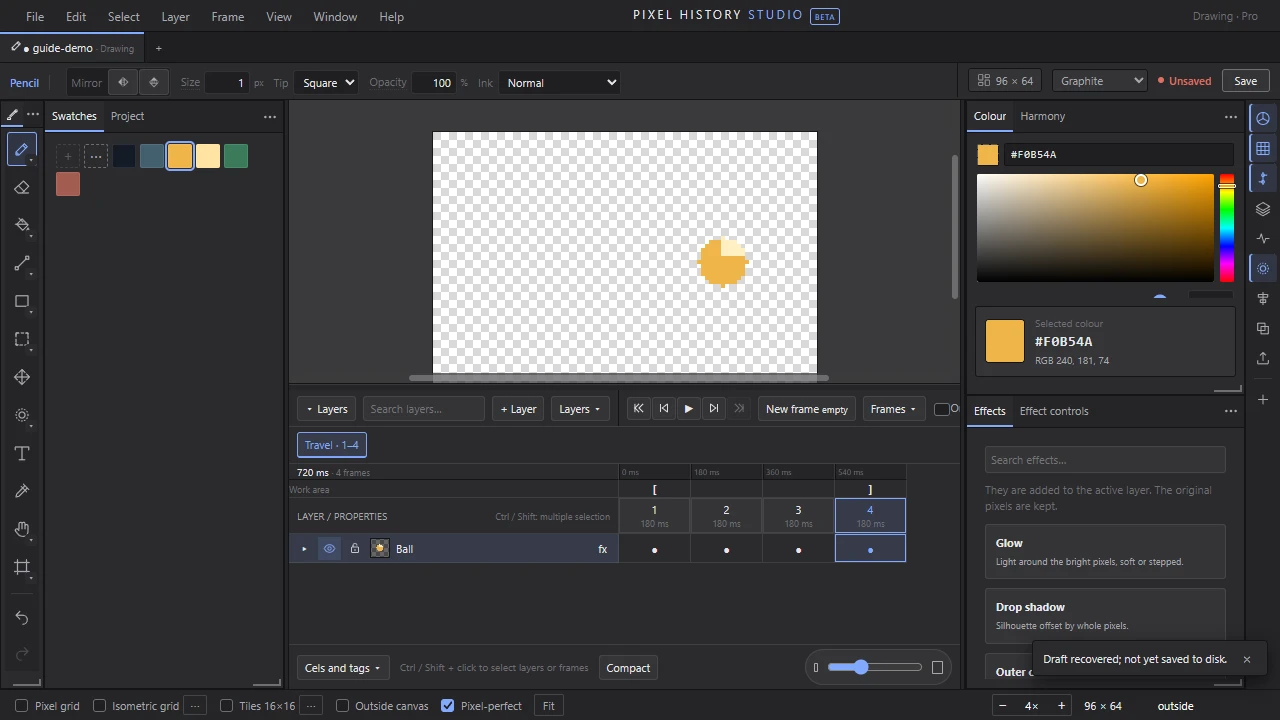
Open Cels and tags → Cycle tags → New tag. Name it Travel, set From frame 1 and To frame 4, and choose Forward. Save tag, then select Travel in Active cycle. The range is inclusive. Play twice to check both its first and last pose. A tag selects a playback range; it does not duplicate drawings.
Check: Travel plays Frames 1 through 4.
Play the same poses backwards
Create the same four-frame range with Reverse direction and select it as the active cycle. Watch two loops. Frame order is traversed backwards during playback; the painted poses remain in their original timeline columns. Use a clear asymmetric journey to see the difference.
Check: The ball travels in the opposite direction.
Return through the intermediate poses
Choose Ping-pong for the same Travel range. After reaching Frame 4 the player returns through the middle poses. Watch two full out-and-back cycles. This avoids a direct jump from the last position to the first, but the reversal can still need better drawings or timing. Keep separate actions in clearly named non-confusing ranges.
Check: The ball goes out and returns without crossing the canvas in one jump.
If something does not work
Playback still shows every frame
Save the tag and select it in Active cycle. Check the From and To fields refer to your intended range.