Separate playback duration from pose spacing. Compare three rhythms without changing the length of the run.
You will learn
- On ones: update each frame
- On twos: hold each position twice
- On threes and drawing rhythm
On ones: update each frame
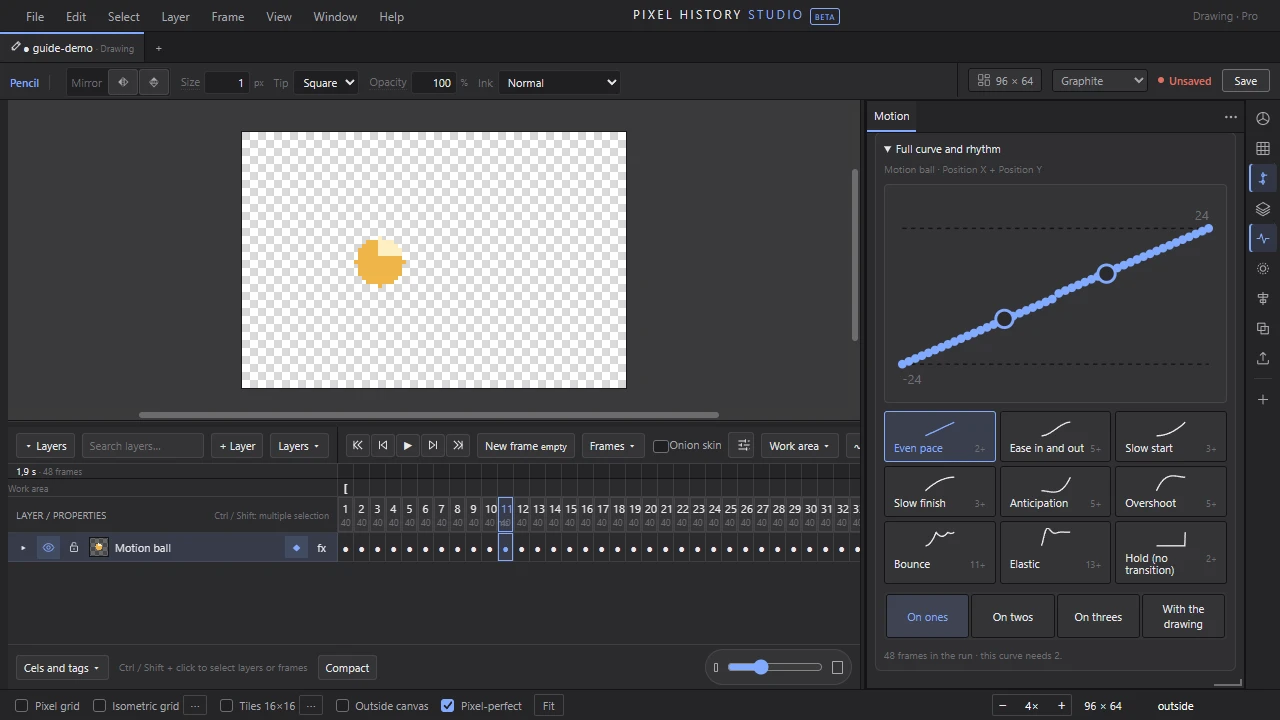
Use a horizontal Position X run with 48 frames at 40 ms. In Motion → Full curve and rhythm select On ones. Each frame may receive a new position. The editor still rounds positions to whole pixels; a very short journey with many frames can repeat coordinates even on ones.
Check: The ball can change position on every frame.
On twos: hold each position twice
Keep the keys and durations unchanged; choose On twos. Each calculated position is held for two frames before the next step. The entire run still takes 1,920 ms. Compare the visible stepping with the ones video. This is an artistic rhythm, not a reduction of the video recording quality.
Check: The ball advances in paired-frame steps.
On threes and drawing rhythm
Choose On threes to hold positions for three frames. Compare it with On twos. With the drawing follows changes of the layer drawing instead of a fixed numeric rhythm; it is useful when linked or held cels define the poses. Change frame durations when you want a faster or slower whole animation; change rhythm when you want different pose spacing.
Check: The held positions last three frames without lengthening the run.
Change the playback speed
Play the original 48 frames at 40 ms: one cycle lasts 1.92 seconds. Select Frame 1, then Shift-click Frame 48. Open Frames and set Duration of selected frames to 80 ms. Close the menu and play again. One cycle now lasts 3.84 seconds, twice as long. This slows all selected frames without changing the key positions or the ones, twos or threes rhythm. Select the whole intended range before editing; changing only one frame creates a pause.
Check: The same journey takes twice as long without moving either endpoint.
If something does not work
My curve looks like a straight line
Use enough frames between the two keys. Extra keys inside the run split it into shorter runs. Select the intended property and inspect the frame spacing, not only the graph.