Build a symmetrical badge, understand each mirror axis and turn symmetry off before adding directional light.
You will learn
- Start with a centred canvas
- Enable horizontal mirror
- Compare the vertical mirror
Start with a centred canvas
Use a 32 × 32 drawing and a 1 px Pencil. Leave space on both sides of the centre. Choose a single colour for the silhouette so you can judge symmetry without shading distractions.
Check: The 32 × 32 canvas has room on both sides of the centre.
Enable horizontal mirror
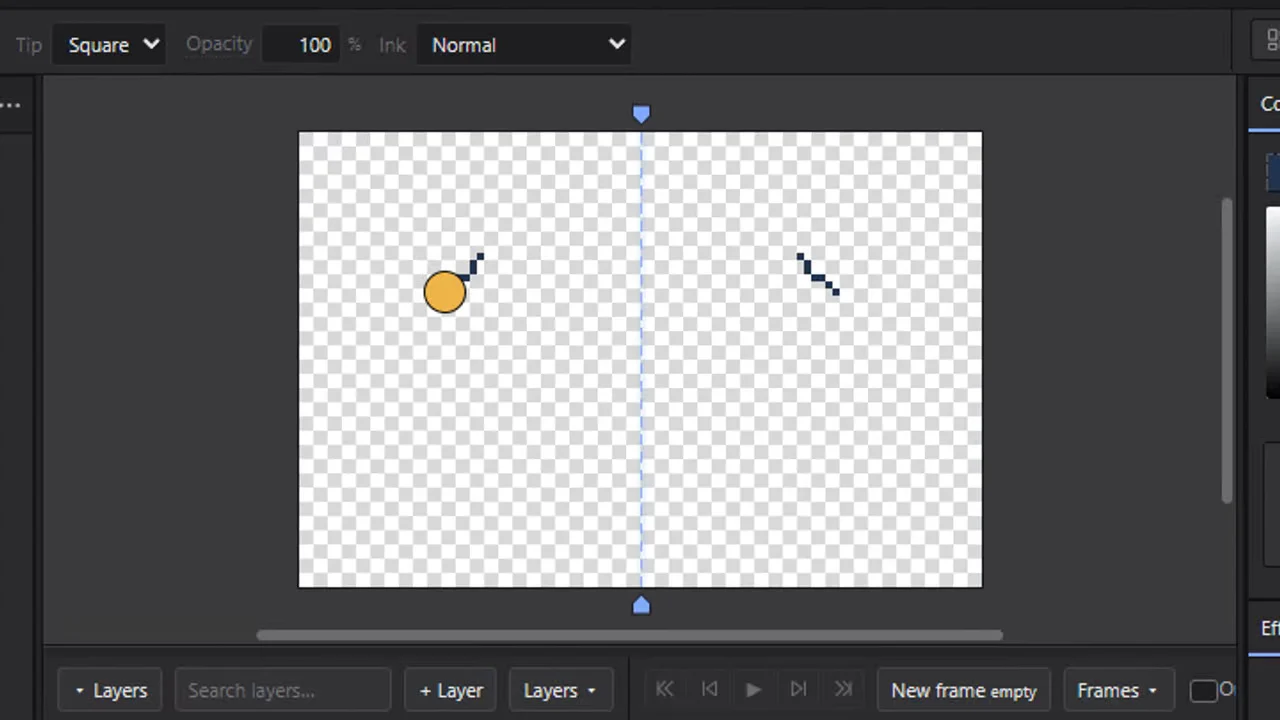
Press the horizontal mirror button in the options bar. It repeats what you draw across the vertical axis: a left-side mark appears on the right. Draw half a shield and inspect the paired result. Horizontal describes the direction of the mirrored copy, not the orientation of the axis.
Check: A left-side mark produces a matching right-side mark at the same height.
Compare the vertical mirror
Disable the horizontal mirror and enable the vertical one. A mark above the horizontal axis appears below it. Turn both on only if you deliberately want four-way symmetry; otherwise an unexpected extra mark can be confusing.
Check: You can distinguish the above/below pair from the left/right pair.
Close the silhouette
Return to horizontal mirror only. Connect the halves at the centre and use Fill to test whether the shield is closed. Undo a leaking fill, repair the gap at high zoom and fill again. Mirror painting is not a substitute for closing the outline.
Check: Fill colours only the closed shield interior, without leaking outside.
Break symmetry for lighting
Disable both mirror buttons before adding a top-left highlight and a lower-right shadow. A symmetrical object can have asymmetric lighting. Inspect at 100% and check that the silhouette remains balanced while the light has one clear direction.
Check: Both mirror buttons are off and the highlight appears only on its intended side.
If something does not work
My highlight appears four times
Both mirror modes are still enabled. Disable them before painting directional details.