Keep a static background in sync while animating independent details, and unlink before making a local variation.
You will learn
- Link a selected range
- See an edit reach every linked cel
- Unlink before a local edit
Link a selected range
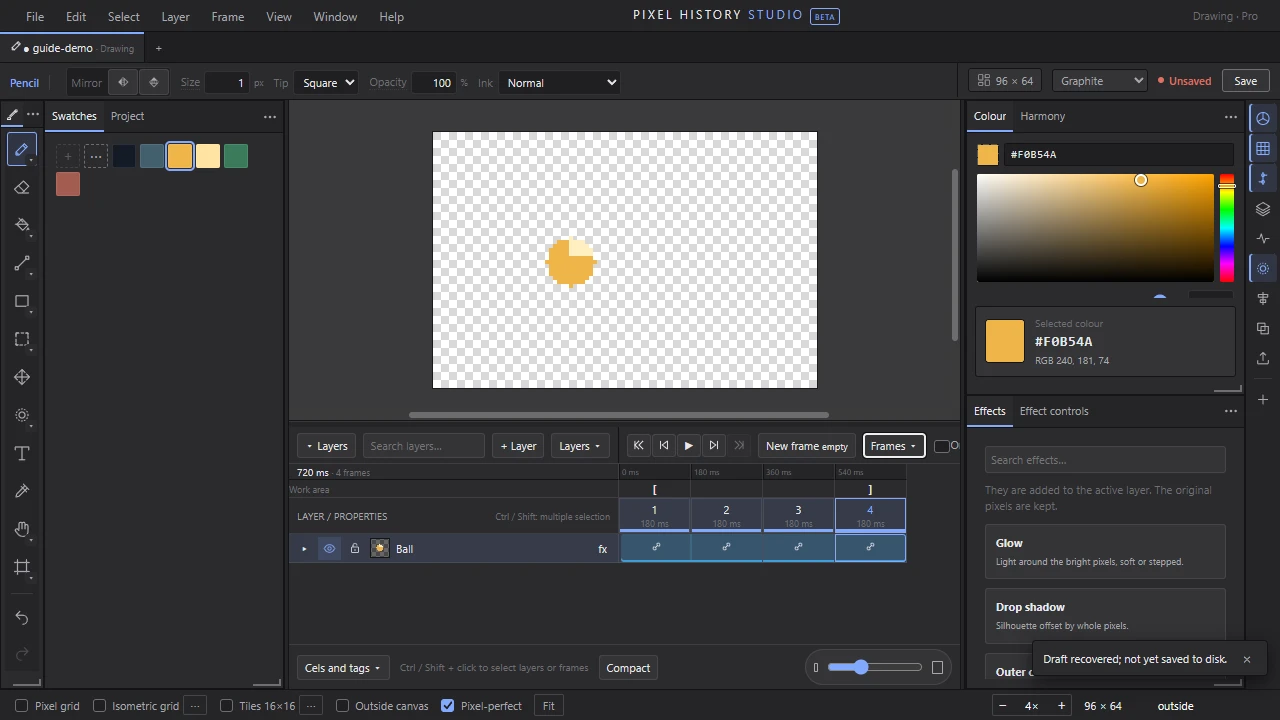
Prepare four independent cels on the Ball track. Select Frame 1 and Shift-click Frame 4. In Frames choose Link selected cels. This shares the active drawing across that track in the selected range. Make the intended source cel active before linking; linking existing different poses replaces their independent drawings with a shared source.
Check: The timeline identifies the linked cel run.
See an edit reach every linked cel
Select Frame 2 in the linked run. Paint a small green highlight and then inspect Frames 1 and 4. Both show it because they use the same drawing. This is useful for a held background or repeated character pose. A separate frame column does not guarantee an independent drawing when its cel is linked.
Check: One edit appears in all linked poses.
Unlink before a local edit
Select only Frame 2 and choose Frames → Unlink selected cels. Paint the green detail. Compare Frames 1, 2 and 4: only Frame 2 changes, while the other linked cels keep their shared source. Unlink before changing the drawing if the detail should belong to one pose.
Check: The local change stays on the unlinked cel.
If something does not work
Several frames changed at once
That is expected for linked drawings. Unlink the cel before changing a single frame.