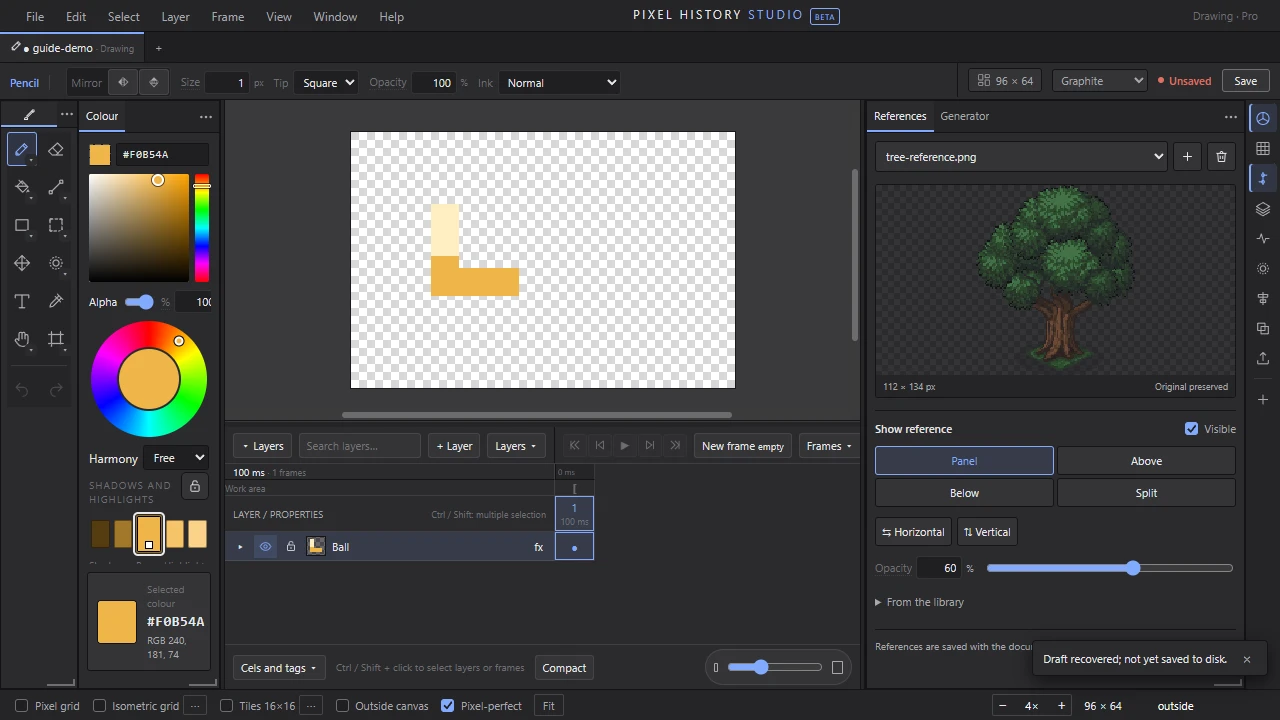
Study a reference beside the drawing while keeping it separate from the exported artwork.
You will learn
- Load a reference beside the drawing
- Move an overlay with the pointer
- Use an underlay and adjust opacity
Load a reference beside the drawing
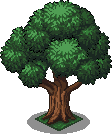
Open Window → References and Load image. Choose the original tree PNG. Select In the panel to inspect it beside the canvas without covering your artwork. A reference is stored separately from the painted layers and does not appear in image exports.
Check: The tree is visible in its own reference panel.
Move an overlay with the pointer
Choose Over the canvas, Fit to the canvas, and Edit reference on canvas. Drag the image to another position. Finish placement and draw returns pointer input to the painting tools. While reference editing is active, dragging positions the reference instead of painting; turn that mode off before drawing.
Check: Dragging moves the reference without moving artwork pixels.
Use an underlay and adjust opacity
Choose Under the drawing and fit the tree. Set Reference opacity to 30%. Toggle Visible off and on: the reference disappears and returns without changing the drawing. Use an underlay through transparent areas; an opaque painted background can hide it. At 1:1, one image pixel corresponds to one canvas pixel.
Check: Only reference visibility and strength change.
Compare in split screen
Select Split screen to keep an independent image view beside the editable canvas. Flip horizontally and compare the tree silhouette, then restore its orientation. These view changes preserve both the original reference PNG and the drawing. Use this mode when an overlay would obscure the pixels you need to edit.
Check: The mirrored reference changes independently from the artwork.
Remove and recover the reference
Remove reference clears the visual aid. Restore removed reference brings that image and its view settings back. The reference remains a guide; exporting PNG, GIF or video composes the artwork rather than this aid. Save the editable document if you want to keep its reference setup for the next session.
Check: Removing or restoring the aid leaves the painted source intact.
If something does not work
The pointer moves the reference instead of painting
Finish placement and draw, or press Esc, to leave reference editing. In the panel keeps the reference outside the drawing area. Do not flatten a reference into a paint layer merely to make it visible.